

When it comes to Logitech G Hub, the hardware you use plays a major role, but the software that manages it can completely transform your experience. Logitech G Hub is the central command center for customizing Logitech gaming gear, giving you more control than you might imagine. Whether it’s tweaking sensitivity, creating custom lighting setups, or saving unique profiles, this tool is designed to elevate every session.
For both beginners and seasoned players, understanding how this software works can make a noticeable difference. It not only improves the way your devices perform but also allows you to create a personalized experience. That’s what makes it a must-have for anyone serious about gaming.
Why Logitech G Hub Matters in the Gaming World
Logitech G Hub stands out because it brings all your Logitech devices under one roof. Rather than juggling multiple applications for your mouse, keyboard, and headset, you can manage everything in one place. This makes it incredibly convenient and helps you stay focused on your game instead of troubleshooting settings.
Beyond convenience, the customization power is unmatched. The software allows you to take full advantage of your hardware’s capabilities, which often go unnoticed if you just stick to the default settings. This is where casual gamers become competitive, and competitive players sharpen their edge even further.
Key Features of Logitech G Hub That Gamers Love
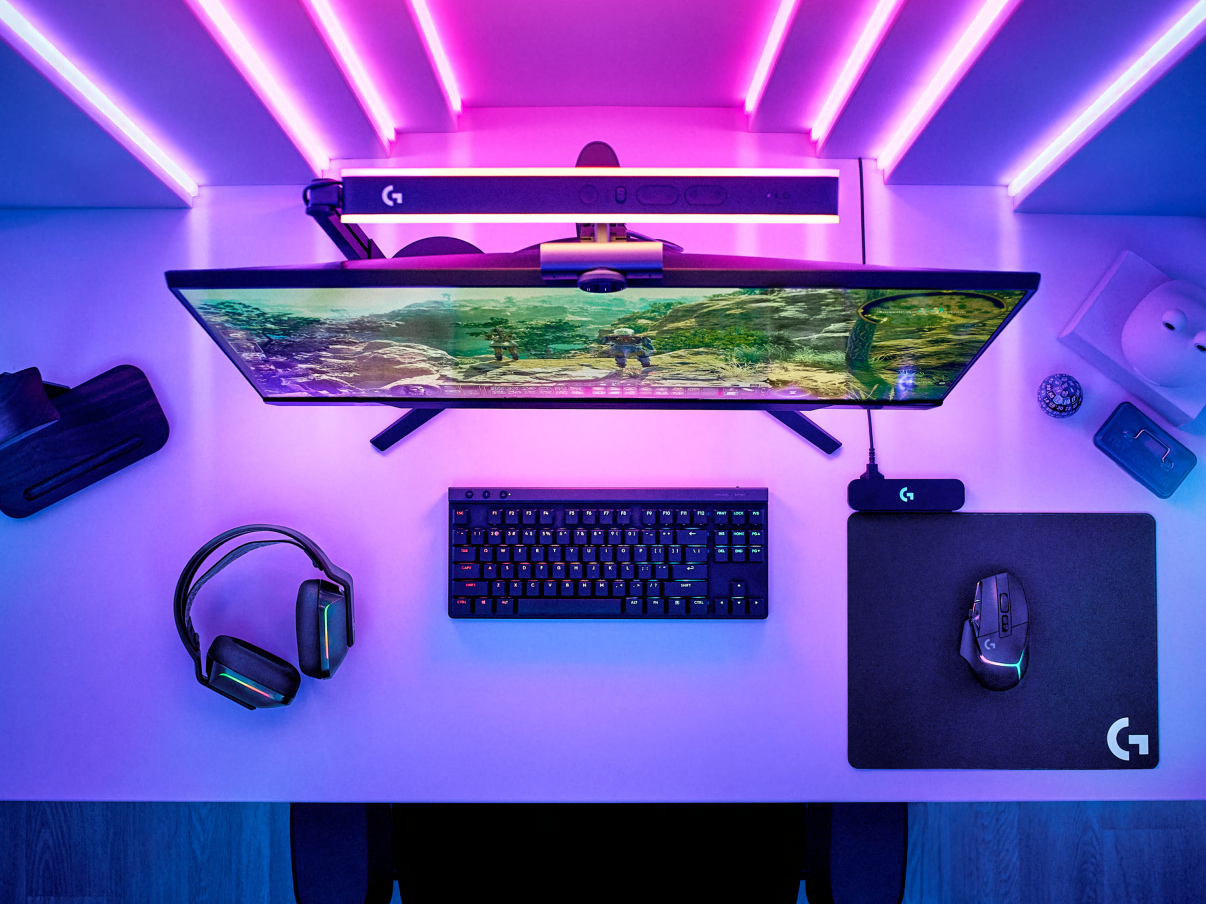
One of the highlights of Logitech G Hub is the lighting customization. If you’re someone who loves a gaming setup that feels immersive, the RGB control options give you endless creativity. Syncing lighting effects across multiple devices can transform your desk into a fully themed battlefield.
Another powerful feature is profile management. You can create profiles for specific games and applications so that your gear automatically adapts when you switch titles. This means you won’t need to manually adjust DPI, key binds, or macros each time you launch a new game—it all happens seamlessly.
The Ease of Setting Up and Using Logitech G Hub
Getting started with Logitech G Hub is surprisingly straightforward. Once installed, the software automatically detects compatible devices and brings them into the interface. From there, you can easily explore settings, adjust sliders, and start customizing to your heart’s content.
What really makes the experience smooth is the user-friendly design. Even if you aren’t tech-savvy, the menus are intuitive, and everything is organized clearly. Gamers often appreciate that they don’t have to spend hours learning how to use the software—it just works right out of the gate.
Unlocking Performance with Logitech G Hub
Performance tweaks are where Logitech G Hub shines the brightest. By fine-tuning your mouse sensitivity or creating custom DPI stages, you can gain precision in fast-paced shooters or comfort in strategy games. These small adjustments often make a big difference in your overall performance.
Similarly, assigning macros and shortcuts can save valuable seconds in competitive matches. The software lets you map complex commands to a single key, which is especially helpful in MOBAs or MMORPGs where speed and accuracy matter.
Personalization Beyond Gaming
While Logitech G Hub is designed with gaming in mind, it also extends its usefulness to daily computing tasks. For example, you can program your mouse or keyboard with productivity shortcuts that make browsing, editing, or designing much faster.
The RGB customization can also double as a creative tool. Some users set up ambient lighting effects that match their music or workflow, turning their desk into more than just a gaming station. This flexibility is part of what makes the software so appealing.
Common Challenges with Logitech G Hub and Solutions
Like any software, Logitech G Hub isn’t perfect. Some users occasionally run into issues with device recognition or updates. While this can be frustrating, most problems are resolved quickly with a reinstall or by checking for the latest version.
Another common challenge is figuring out advanced features. While the interface is user-friendly, some of the deeper customization tools require a bit of experimentation. Thankfully, the learning curve isn’t steep, and once you get the hang of it, the possibilities open up significantly.
How Logitech G Hub Compares to Other Software
When compared to competing platforms from other brands, Logitech G Hub often comes out ahead in terms of ease of use. The clean design and straightforward customization options make it approachable for both casual players and pros.
On the other hand, some platforms might offer niche features that Logitech G Hub doesn’t focus on. Still, the balance of usability, depth, and stability makes this software one of the most trusted in the gaming community.
Updates and Improvements Over Time
One thing Logitech does well is keeping G Hub updated. Regular improvements bring new features, bug fixes, and expanded device support. This ensures that the software continues to grow alongside the needs of modern gamers.
Community feedback also plays a big role. Logitech often listens to what users are saying and implements changes accordingly. That connection between company and community is a strong reason why the software stays relevant.
Future of Logitech G Hub
Looking ahead, the potential for Logitech G Hub is exciting. As games and hardware continue to evolve, so will the need for more advanced customization tools. Expect to see deeper integration, smarter automation, and perhaps even AI-driven personalization in the years to come.
Gamers are also demanding more cross-platform compatibility, and this could shape the direction of future updates. The idea is simple: the more flexible and connected the software becomes, the more essential it will remain.
Conclusion
Logitech G Hub is much more than just a settings app—it’s the heart of the Logitech gaming ecosystem. It allows you to push your hardware to its full potential while keeping everything organized and user-friendly. Whether you’re customizing lighting, building profiles, or fine-tuning performance, the software ensures your devices truly work for you.


